
Transport operations console
Every consignment, booking to delivery.
Book, manifest, hire the lorry, unload, release and bill from one console. Stock stays right at every branch, every step of the way.
For transporters and parcel carriers · Desktop and phone
How it works
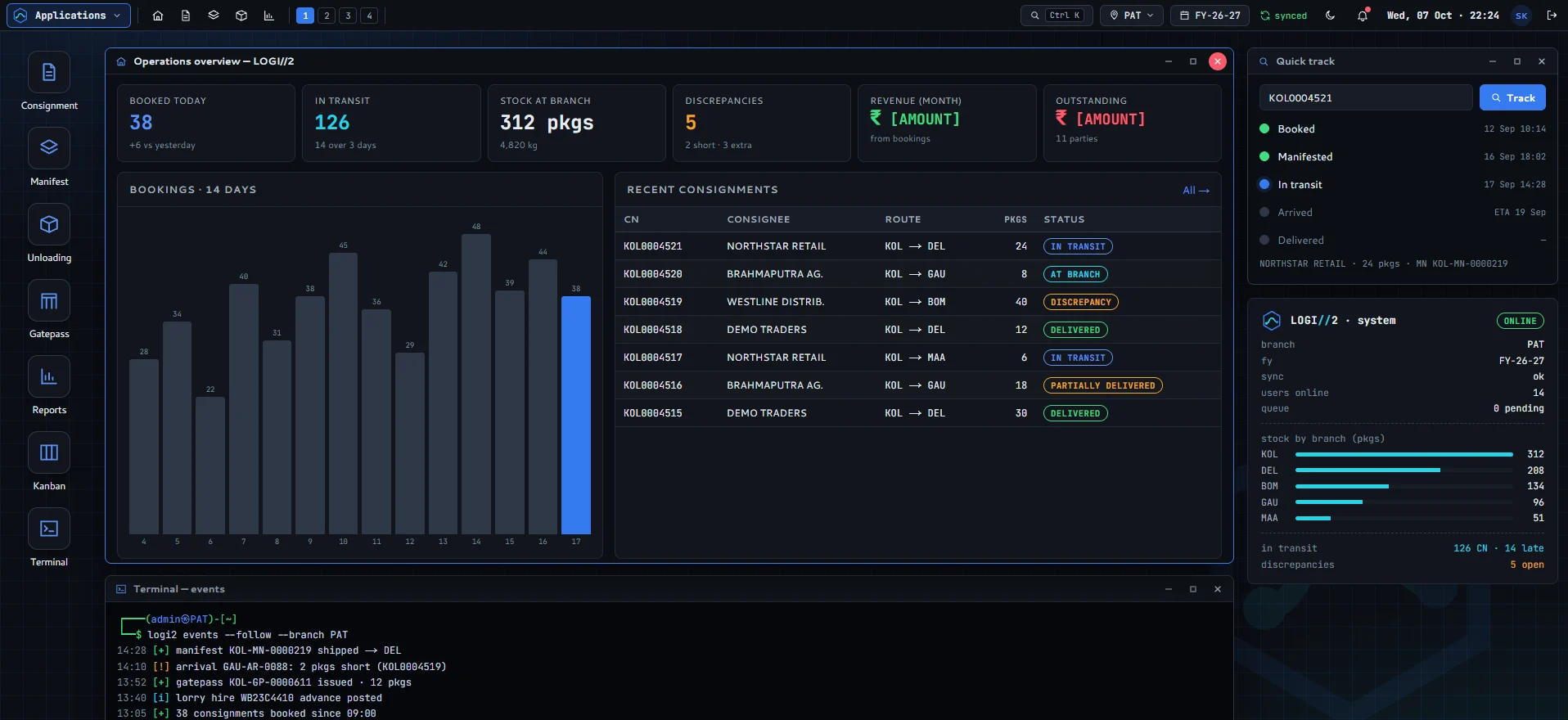
One consignment. Seven steps.
Each step picks up where the last one left off. Packages move in and out of branch stock as they go, so the count on screen is the count in the godown.
- 01BookConsignment note with parties, e-way bill and charges.
KOL0004521 - 02ManifestLoad CNs from branch stock onto a lorry.
KOL-MN-0000220 - 03Lorry hireChallan with freight, advance and balance.
KOL-LH-0000142 - 04UnloadReceive the arrival and count every package.
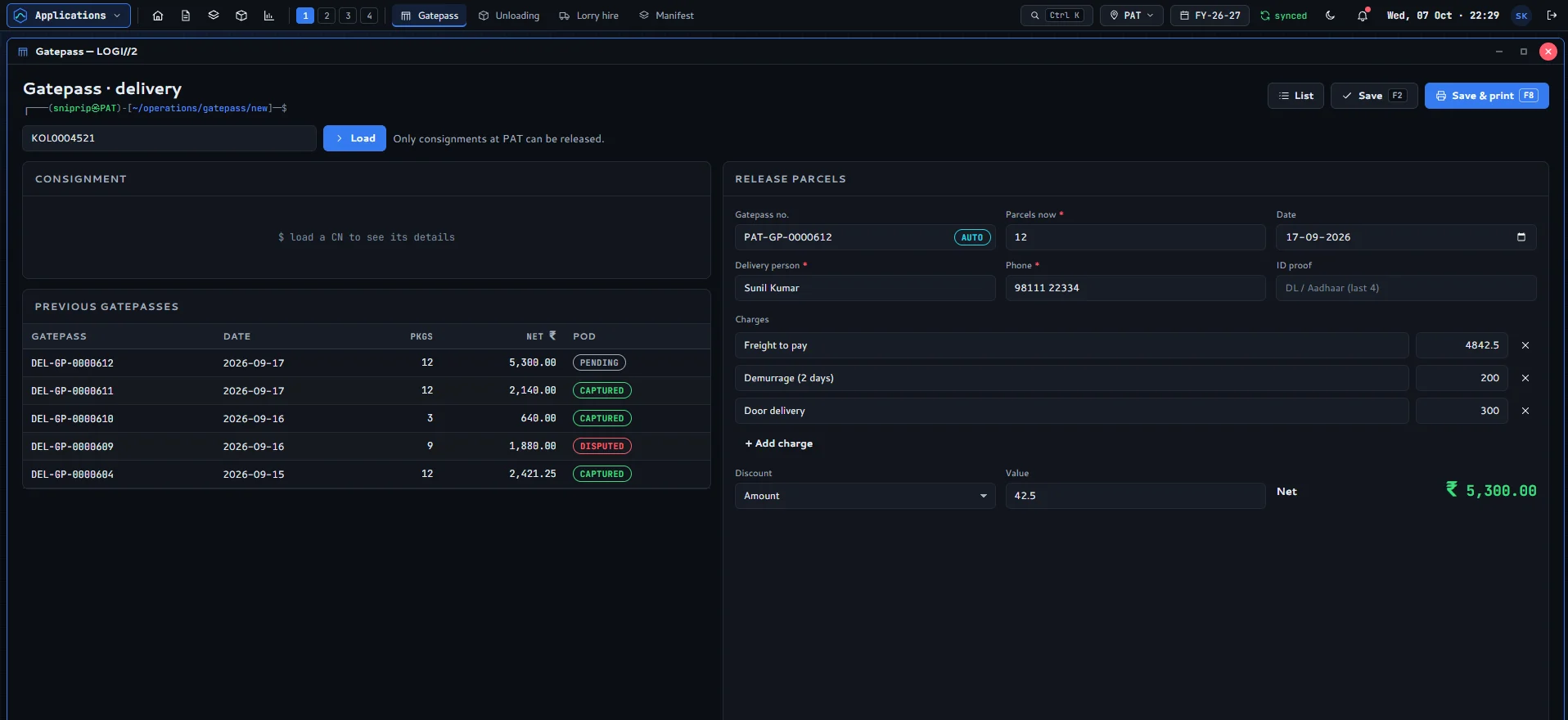
PAT-AR-0000412 - 05GatepassRelease parcels to the consignee, collect dues.
PAT-GP-0000612 - 06ProofSignature, photos and the receiver on record.
POD · captured - 07BillRaise bills, post receipts, track outstanding.
Billing · ledger
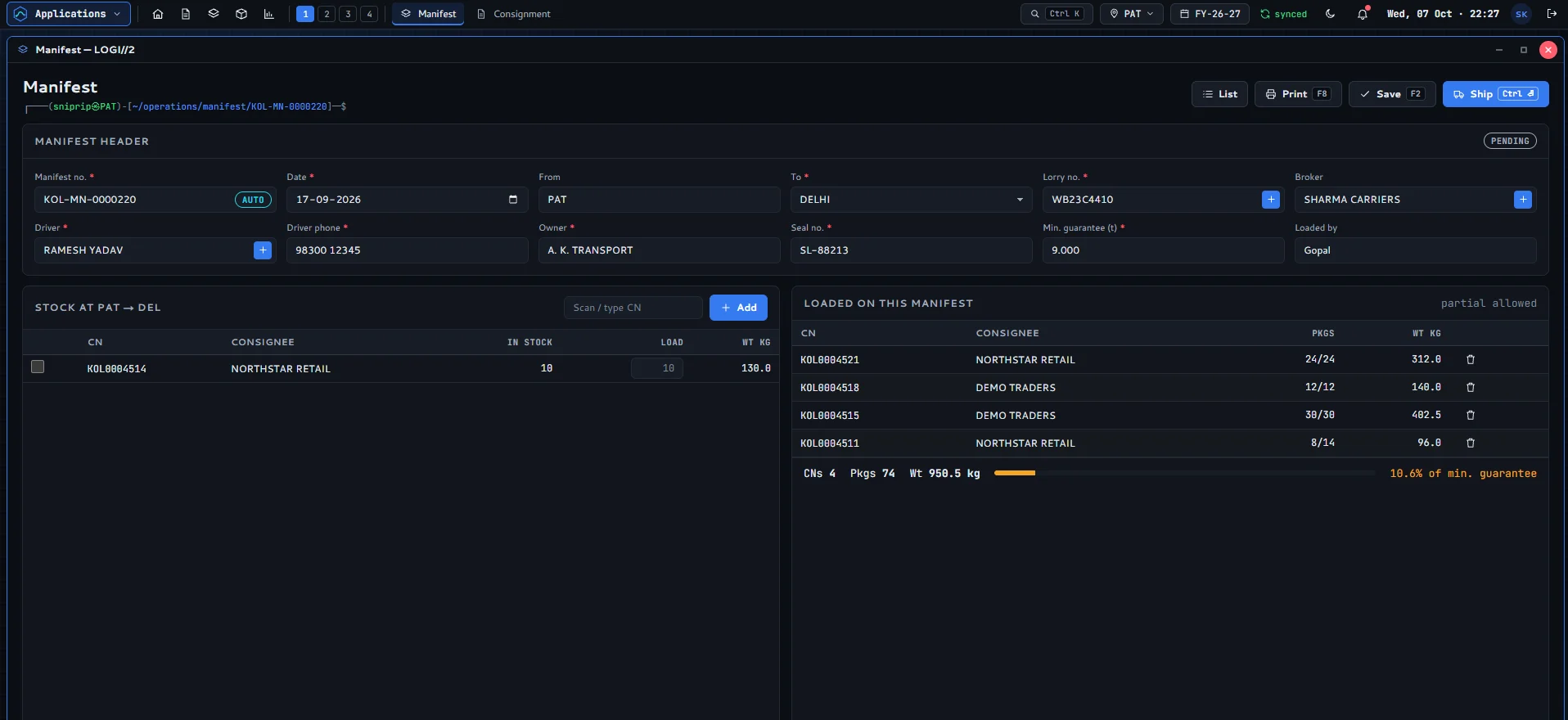
Manifest
Load the lorry, watch the guarantee fill.
Pick CNs from stock at the branch or scan them in. Load part of a consignment if it won’t all fit, and see weight against the lorry’s minimum guarantee as you go.
- Scan or type CN
- Partial loading
- Min. guarantee
- Driver and seal details
Lorry hire
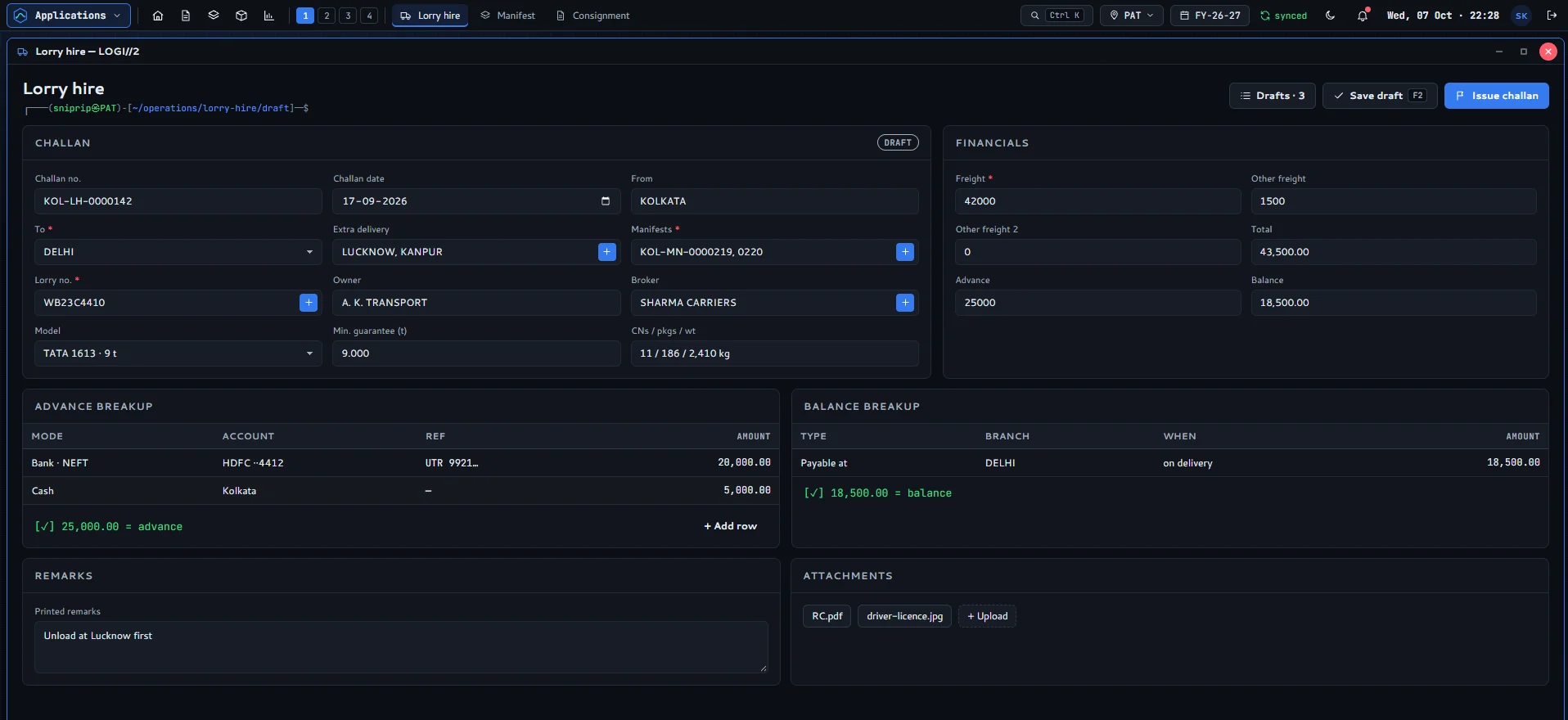
Challans that settle themselves.
Tie one or more manifests to a hired lorry, add extra delivery points, and split the advance across bank and cash. The balance shows where and when it is payable.
- Multiple manifests
- Advance breakup
- Balance at destination
- RC and licence uploads
Unloading
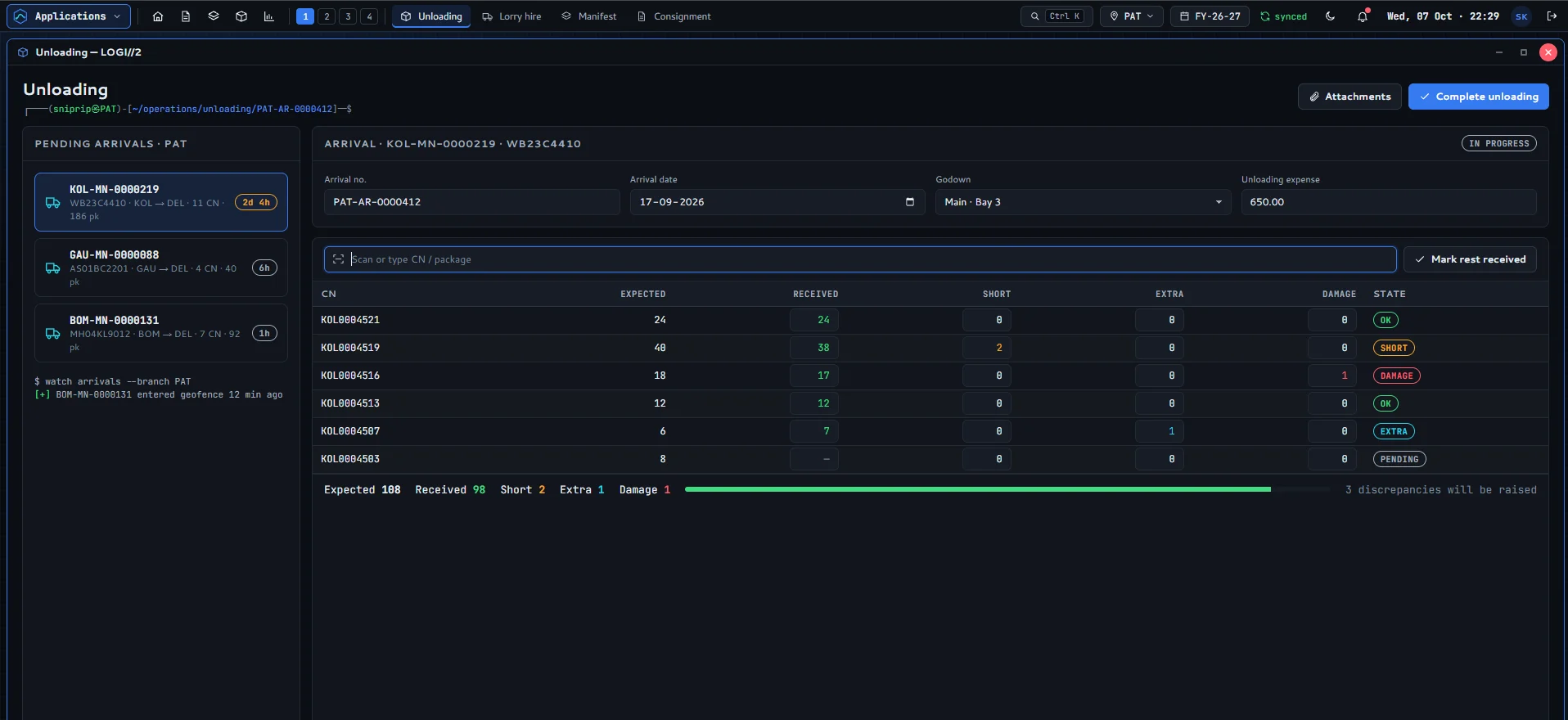
Short, extra, damaged: caught at the dock.
Pending arrivals queue up with how long they have been on the road. Scan packages as they come off, and any difference is raised as a discrepancy before stock is updated.
- Arrival queue
- Package-level count
- Discrepancies raised
- Godown and bay
Gatepass and POD
Release the parcels, keep the proof.
Load a CN, add freight to pay, demurrage and door delivery, and print the gatepass. The delivery receipt then captures the receiver, their signature and photos.
- Charges and discount
- Delivery person and ID
- Signature capture
- Disputed PODs
What’s inside
The whole office. One console.
Open any of them from the Applications menu or press Ctrl K. Up to four workspaces stay open side by side.
Operations
06- ConsignmentBook a new CN
- ManifestLoad and ship
- Lorry hireChallans
- UnloadingReceive arrivals
- GatepassRelease parcels
- Proof of deliverySignatures and photos
Finance
02- BillingRaise bills
- CollectionsReceipts and ledger
Insight
03- DashboardBookings, stock and dues today
- Reports29 reports
- KanbanPipeline board
Administration
04- Branches and partiesNetwork, customers and fleet
- Rates and charge headsRoute rates, sundries and goods
- Numbering and print designerNumber ranges and templates
- Employees and rolesAccounts and permissions
Why LOGI // 2
Made for the booking desk, not the brochure.
Keyboard first
Ctrl K finds any screen or CN. F2 saves, F8 prints, Enter moves to the next field.
Every branch, one network
Switch branch in one click. Stock, arrivals and dues are kept per branch, with numbering ranges for each.
Access by role
Each user sees only the screens and actions their role allows, and the audit log records every change.
Scan, don’t type
Scan a CN or package barcode to load a manifest or receive an arrival, package by package.
E-way bill and GSTIN on every CN
Record the e-way bill and both parties’ GSTINs at booking. Charges and round-off follow your rules.
Desktop and phone
A full windowed console on the office PC, and a phone layout for delivery staff capturing PODs.
Under the hood
Built new, built to last.
LOGI // 2 is written from scratch on a modern web stack by the team behind Indev PMS, not patched onto software from a decade ago.
- Next.jsApp framework
- ReactInterface
- TypeScriptType-safe code
- NestJSAPI layer
- PrismaDatabase access
- PostgreSQLDatabase
Coming soon
Be first on the road.
LOGI // 2 is in final testing. Leave your email and we’ll tell you the day it launches, with a free demo for your branches.